

When shopping for a used tablet, the biggest question isn’t the price – it’s how old a model can be before it stops being a smart purchase. Buy too old, and you risk lapsed OS updates, app incompatibility, and a shorter usable life: Apple has already ended major updates for the iPad 8th gen and older, and several once-popular Galaxy Tabs can no longer install current apps at all. Since tablets tend to stay with their owners for 3-5 years, what matters most is not whether a device works today, but whether it will keep working reliably for years to come.
What Should You Look for in a Used Tablet?
The first thing to check is not the price tag but the software support window. Sure, an older tablet is fine for video streaming and light web browsing. But once OS updates end, apps stop installing and security patches dry up. As a rule of thumb in 2026, pick a model that still has at least 2-3 years of practical use ahead of it.
The cutoffs below are based on each device’s expected end of OS update support – not on raw performance.
| Category | Absolute Cutoff | Recommended Starting Point | Best Value Models |
|---|---|---|---|
| iPad (base) | iPad 9th gen | iPad 10th gen | iPad 10th gen / A16 model |
| iPad Air | Air 4th gen | Air 5th gen (M1) | Air 5 M1 or newer |
| iPad mini | mini 6th gen | mini 6th gen | mini 6 or newer |
| iPad Pro 11″ | 2nd gen | 3rd gen (M1) | M1 or newer |
| iPad Pro 12.9″ | 4th gen | 5th gen (M1) | M1 or newer |
| Galaxy Tab S | Tab S8 | Tab S9 | Tab S9 or newer |
| Galaxy Tab FE / A | Tab S9 FE | Tab S9 FE | Budget picks: Tab A8 or newer only for light use |
Note that the “absolute cutoff” and the “recommended starting point” are not the same thing. If a cutoff-era tablet is dramatically cheaper, it can still make sense. But when the price gap is small, stepping up one or two generations pays off over time.
Used iPads: Where Is the Line?

iPads enjoy unusually long software support – typically five to seven years of iPadOS updates – which keeps them popular on the secondhand market. As of 2026, the practical cutoffs are: 9th gen for the base iPad, 4th gen for the iPad Air, and 6th gen for the iPad mini.
That does not mean you must avoid everything older – an iPad 9th gen remains perfectly fine for documents, browsing, video, and studying. But if you want your next tablet to last, the sweet spot starts around the iPad 10th generation, or better yet, the M1-powered Air 5 and iPad Pro models, where performance and remaining lifespan balance out beautifully.
Used Galaxy Tabs: Where Is the Line?
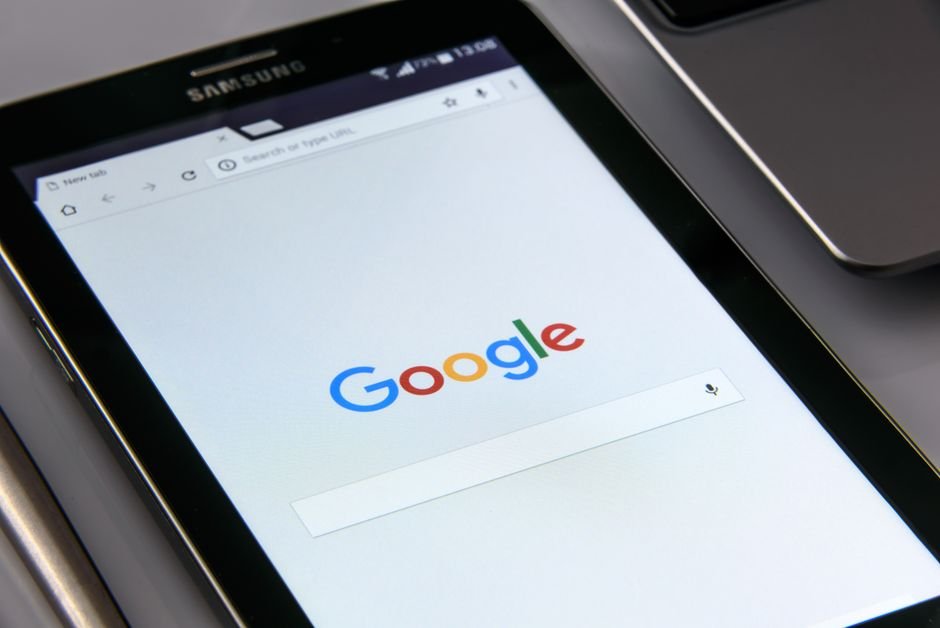
On the Android side, Samsung now promises up to four generations of OS upgrades and seven years of security patches on its flagship tablets, which makes recent Galaxy Tabs far better used purchases than they used to be. A Galaxy Tab S8 is still serviceable today, especially at a deep discount. But for anyone buying used in 2026, the Galaxy Tab S9 series is the safest starting point – newer chipset, longer update runway, and meaningfully better longevity per dollar.
The budget lines need more caution. The Tab A series typically gets far shorter support windows than the flagships, so an older Tab A is best treated as a secondary couch-and-streaming device rather than your main tablet. The Tab S9 FE, meanwhile, hits a nice middle ground: flagship-class update support at a mid-range price.
The Bottom Line

Here is the simple version: for used iPads, aim for roughly the A14 chip or M1 era and newer; for used Galaxy Tabs, target the S8-S9 range and newer. These are the core buying benchmarks for anyone shopping for a tablet buying guide-worthy deal in 2026.
Rather than chasing the lowest possible price on an aging model, spending slightly more for one or two newer generations usually means two to three extra years of reliable use – which makes it the smarter deal in the end.
Found this guide helpful? Bookmark this page for your next tablet hunt – and stay tuned for our upcoming guide to the best used iPads under $200.
Photo credits: Pexels contributors.