

Apple just overhauled its desktop Mac lineup, and the biggest surprise wasn’t the Mac Studio — it was the Mac mini. Most people assumed the base model would move from M4 to M5. Instead, Apple skipped straight to an M6 chip, built on a brand-new 2nm process.
Alongside it, the Mac Studio got its own generational jump with M5 Max and M5 Ultra chips, plus upgrades across the board: Wi-Fi 7, Bluetooth 6, faster memory and storage, and Thunderbolt 5. If you’ve been waiting on a new desktop Mac, here’s exactly what changed — and which machine actually fits your needs.

The New Mac mini Skipped M5 Entirely
The strangest (and most interesting) part of this announcement is the Mac mini’s chip lineup. The new Mac mini comes in two very different configurations:
| Mac mini M6 | Mac mini M5 Pro | |
|---|---|---|
| Processor | M6 | M5 Pro |
| CPU | 12-core | Up to 18-core |
| GPU | 12-core | Up to 20-core |
| Unified memory | Up to 32GB | Up to 64GB |
| Memory bandwidth | Up to 170GB/s | Up to 307GB/s |
| Thunderbolt | Thunderbolt 4 | Thunderbolt 5 |
| Wireless | Wi-Fi 7 / Bluetooth 6 | Wi-Fi 7 / Bluetooth 6 |
| Starting price | $899 | $1,699 |
Yes, the base model uses the newer M6, while the high-end model uses the older-generation M5 Pro. That looks backwards on paper, but it isn’t. The M6 is Apple’s new-generation base chip; the M5 Pro is a pro-tier chip with far more CPU and GPU cores and much higher memory bandwidth.
Quick take: the M6 model gives you the newest chip; the M5 Pro model gives you roughly double the memory bandwidth plus Thunderbolt 5 — pro I/O for heavy workflows.
In practice: if your work is office tasks, photo editing, or software development, the M6 model will likely be plenty. Heavy video editing or large-scale projects are where the M5 Pro earns its premium.
Is the M6 Chip Faster Than the M4?
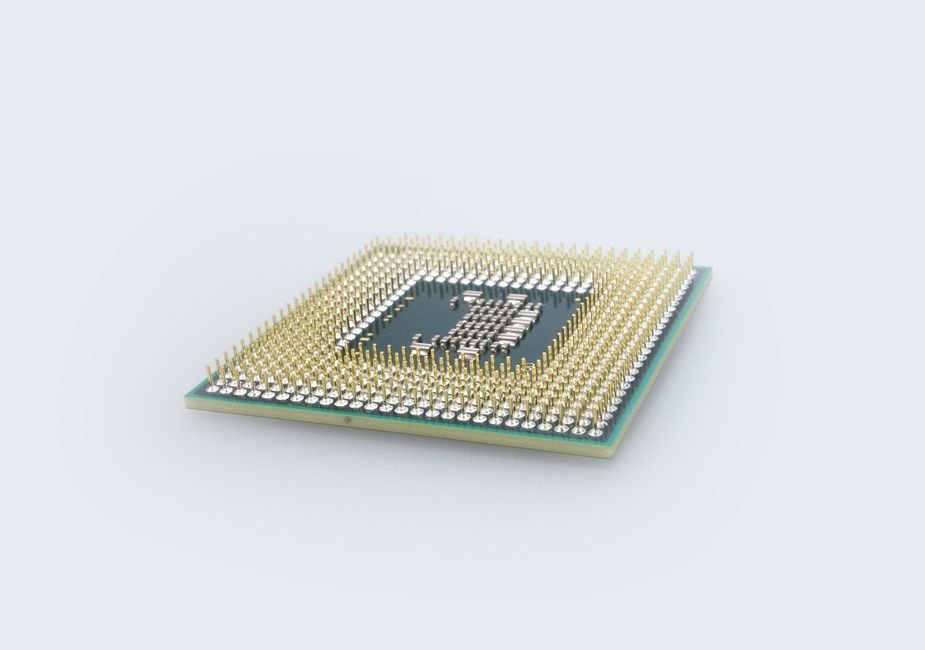
The M6 is the first Mac chip built on a 2nm process. It pairs a 12-core CPU with a 12-core GPU, and every GPU core carries its own Neural Accelerator for on-device AI work.
By Apple’s numbers, compared to the M4 Mac mini:
- CPU performance: up to 40% faster
- Graphics performance: up to 2x faster
- AI workloads: up to 4x faster
That AI number may matter more than any benchmark score. Apple has been pushing hard on local, on-device AI, and the M6 looks designed for exactly that. Just keep in mind that real-world gains vary by app — wait for independent benchmarks before assuming every task gets the full multiplier.
Same Design, Much Better Connectivity
Externally, nothing changes. The tiny 2024 Mac mini design survives intact — no complaints here, since its desk-friendly footprint was one of its best-reviewed features.
Inside and around the ports, though, it’s a different story:
- Wi-Fi 7 and Bluetooth 6
- 2.5Gb Ethernet as standard, with a 10Gb option
- Thunderbolt 5 on the M5 Pro model — ideal for fast external SSDs and high-resolution displays
This generation is about internals and connectivity, not looks.
Mac Studio: Now with M5 Max and M5 Ultra
The Mac Studio also moved to a new generation, available in two flavors:
| Mac Studio M5 Max | Mac Studio M5 Ultra | |
|---|---|---|
| CPU | 18-core | Up to 36-core |
| GPU | Up to 40-core | Up to 80-core |
| Unified memory | Up to 128GB | Up to 512GB |
| Memory bandwidth | Up to 614GB/s | Up to 1.2TB/s |
| Thunderbolt | Thunderbolt 5 | Thunderbolt 5 |
| Wireless | Wi-Fi 7 / Bluetooth 6 | Wi-Fi 7 / Bluetooth 6 |
| Starting price | $2,499 | $5,499 |
Quick take: the M5 Ultra doubles everything that matters for AI — cores, memory ceiling, bandwidth — at more than double the price.
Even the M5 Max is already overkill for most people. The M5 Ultra goes further still: up to a 36-core CPU, an 80-core GPU, up to 512GB of unified memory, and memory bandwidth reaching 1.2TB/s. It’s aimed at video production, 3D rendering, large-scale data processing — and increasingly, at running big AI models locally.
Can You Run Local AI Models on a Mac Studio M5 Ultra?
The headline spec is that unified memory. On a typical PC, the GPU is capped by dedicated VRAM. Apple Silicon shares one pool of unified memory between CPU and GPU — and configuring an M5 Ultra with up to 512GB means you can load enormous language models entirely in local memory.
Demand for running AI models on your own hardware — for privacy, cost, and speed reasons — keeps growing, and Apple is leaning into it hard with this generation. The Mac Studio used to be a video, music, and graphics pro machine. It’s now clearly positioning itself as an AI development workstation too.
Faster SSDs and Up to 8 External Displays
The Studio also gained a new PCIe Gen 6-based SSD architecture that Apple says delivers up to 2x the storage performance of the previous generation — something pros shuttling huge project files will feel immediately.
Depending on configuration, it can drive up to eight external displays, and Wi-Fi 7, Bluetooth 6, and Thunderbolt 5 are all standard. This isn’t a one-spec refresh; memory, storage, networking, and expandability all moved forward together.
Which One Should You Actually Buy?
| Your use case | Recommended model |
|---|---|
| Browsing, documents, everyday work | Mac mini M6 |
| Photo editing, development, light video editing | Mac mini M6 |
| 4K video editing, demanding dev workloads | Mac mini M5 Pro |
| Professional video production, 3D work | Mac Studio M5 Max |
| Large local AI models, advanced 3D, massive projects | Mac Studio M5 Ultra |
Honestly? The most interesting machine here is the humble M6 Mac mini. The M5 Ultra is astonishing but niche. The Mac mini serves everyone from casual users to developers and content creators — and keeping the small chassis while adding M6, Wi-Fi 7, and 2.5Gb Ethernet makes it a genuinely compelling desktop upgrade.
The Bottom Line
If one takeaway matters from this launch, it’s the arrival of the M6 Mac mini: Apple skipped the M5 base-model generation entirely and jumped to 2nm with a major AI-performance boost, all inside the same beloved design. Meanwhile the Mac Studio’s M5 Max and M5 Ultra — especially that 512GB unified memory and 1.2TB/s bandwidth — signal that Apple sees Macs as serious local-AI machines, not just creative tools.
One practical note before you buy: US starting prices are $899 (Mac mini M6), $1,699 (Mac mini M5 Pro), $2,499 (Mac Studio M5 Max), and $5,499 (Mac Studio M5 Ultra) — but depending on M4 clearance discounts versus M6 launch pricing in your region, the value equation can shift dramatically. The newest model isn’t automatically the best deal.
Still deciding between Mac mini and Mac Studio? Bookmark this page for the upcoming independent M6 benchmarks, and share it with anyone still weighing M4 clearance deals against the new lineup.
Photo credits: Pexels contributors.